Ollama Chatbot
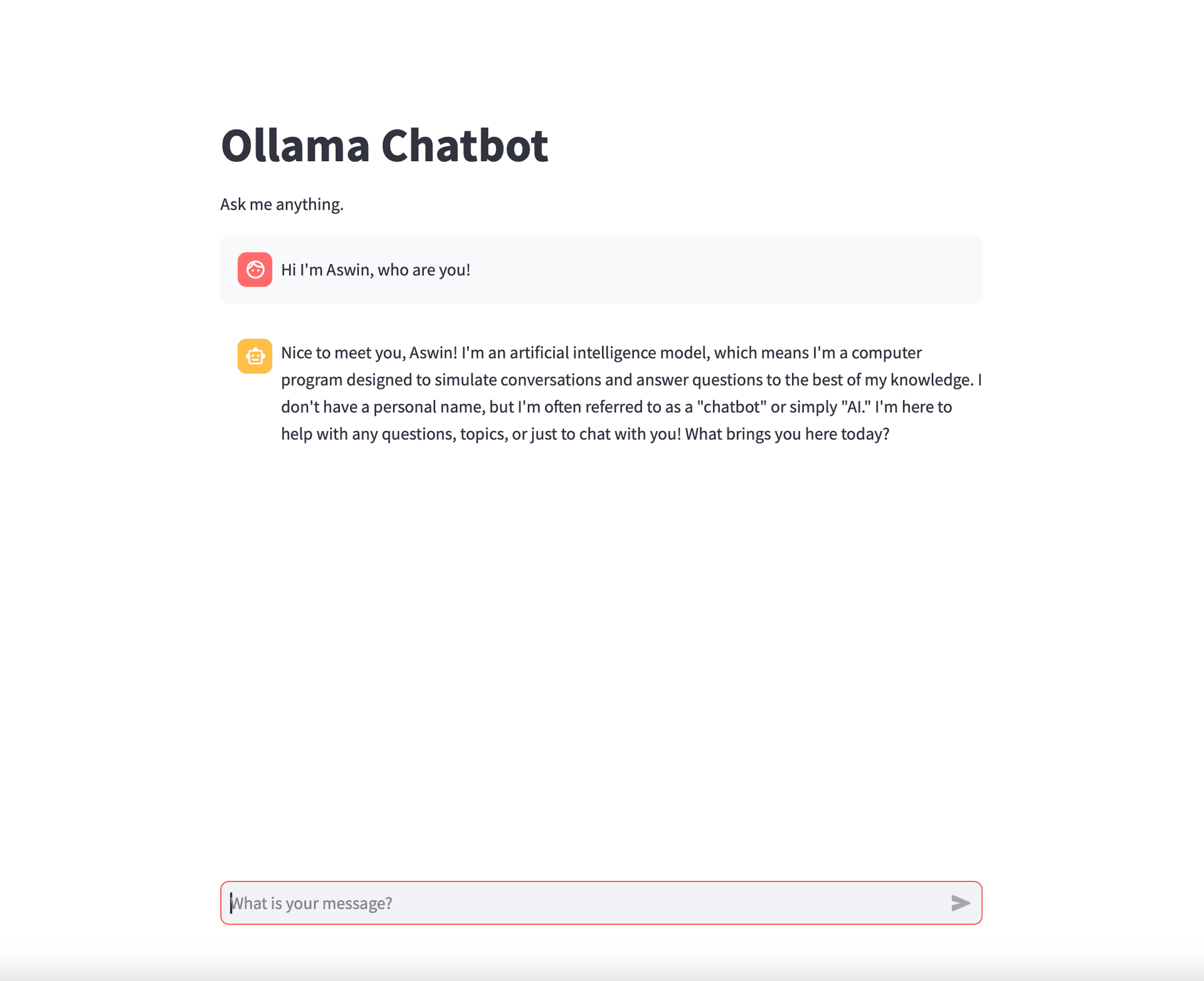
I built a lightweight AI chatbot with Streamlit and Ollama, combining local language models with a simple web UI. I care a lot about LLMs and wanted to level up my Python at the same time, so this was my excuse to run a chatbot entirely on my own machine and learn how streaming and session state behave in a tiny app.
Ollama handles the model and streaming loop; Streamlit handles layout, history, and input. I added a light delay on the streamed output so replies unfold a little like a live conversation instead of dumping all at once. The whole thing is a nice on-ramp if you want to experiment with local models without standing up a full stack.
The best part? The code is less than 40 lines long. Here is how it breaks down.
1. Imports and the streaming helper
import streamlit as st
import ollama

def get_ai_response(messages):
  try:
    stream = ollama.chat(
      model='llama3.1',
      messages=messages,
      stream=True,
    )

    for chunk in stream:
      yield chunk['message']['content']
  except Exception as e:
    st.error(f"An error occurred: {str(e)}")
    return None
2. Main chat loop
def main():
  st.title("Ollama Chatbot")
  st.write("Ask me anything.")

  # Initialize chat history
  if 'messages' not in st.session_state:
    st.session_state.messages = []

  # Display chat messages from history on app rerun
  for message in st.session_state.messages:
    with st.chat_message(message["role"]):
      st.markdown(message["content"])

  if prompt := st.chat_input("What is your message?"):
    st.session_state.messages.append({"role": "user", "content": prompt})

    with st.chat_message("user"):
      st.markdown(prompt)

    with st.chat_message("assistant"):
      messages = st.write_stream(get_ai_response(st.session_state.messages))
      st.session_state.messages.append({"role": "assistant", "content": messages})
3. Entry point
if __name__ == "__main__":
  main()
That is the full picture. With just a few lines of code you get a working chat UI on top of local models. Feel free to explore the code further and customize it to suit your needs.

